Understanding the Star Burner
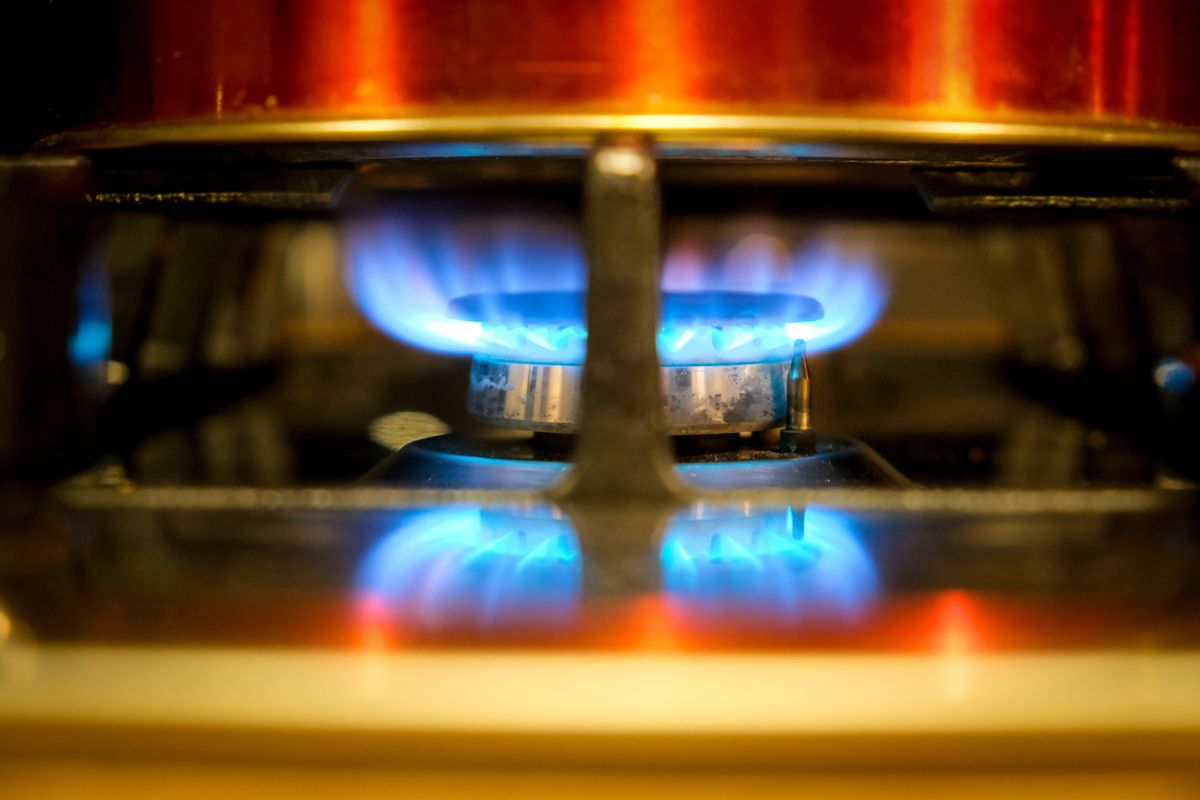
The patented Star Burner is Thermador’s signature innovation — a five-pointed design that distributes flame across 56% more surface area than a traditional round burner. The star shape creates five distinct flame zones, eliminating cold spots where food burns or undercooks. Each point of the star delivers a separate flame channel, and the center provides consistent base heat.
ExtraLow simmer technique
ExtraLow allows the Star Burner to hold a flame as low as 100°F — precise enough to melt chocolate, keep hollandaise warm, or simmer stock for hours without scorching. To achieve the lowest setting: turn the knob past the standard low position to the ExtraLow detent (you’ll feel a slight click). The flame should be barely visible — a small blue ring at the burner center. If the flame extinguishes at ExtraLow, the gas valve may need professional recalibration.
Cleaning the Star Burner
Remove the burner cap after the cooktop cools completely. Clean the five points and all flame ports with a pin or thin wire — never use a toothpick (wood can break inside the port). Wash the cap in warm soapy water and dry completely before replacing. The cap must sit flat and aligned with the star base — misalignment causes uneven flame and ignition problems.
Troubleshooting ignition
If the burner clicks but won’t light: 1) Check that the cap is properly seated. 2) Clean the ports. 3) Dry the igniter area (moisture from cleaning or boilovers). 4) Try another burner — if none light, the issue is the ignition module or gas supply, not the individual burner.
Need professional Thermador Range service?
If troubleshooting doesn’t resolve the issue, our certified Thermador technicians can help. We service all Thermador Range models across all 50 states with genuine OEM parts and a 30-day labor warranty. Schedule service online — same-day booking available.
Related Thermador resources
- Thermador Range repair service — certified technicians in all 50 states
- Thermador error code database — search all Range error codes
- Thermador model database — specifications and repair info by model number
- Thermador official site — official specifications, manuals, and product information
Important notes for Thermador range owners
- Always use genuine OEM parts — aftermarket components may fit but can compromise performance, safety, and warranty coverage on Thermador appliances
- Never ignore error codes — Thermador codes are diagnostic aids designed to prevent small issues from becoming major failures. Address them promptly
- Keep your owners manual accessible — it contains model-specific maintenance schedules and troubleshooting trees. Digital versions are available on the Thermador official site
- Document issues before calling — note error codes, symptoms, when they started, and patterns. This helps the technician diagnose faster
- Use surge protectors — power fluctuations damage electronic control boards. A quality surge protector protects your investment
Preventive maintenance saves money
Regular maintenance is the most cost-effective way to extend your Thermador range lifespan and avoid expensive emergency repairs.
- Annual professional inspection — catches wear before failure. Critical for gas connections, sealed systems, and electronics
- Filter replacements on schedule — water, air, and carbon filters have finite lifespans. Running past service life degrades performance
- Gasket and seal checks — door gaskets and hose connections develop micro-leaks over time. Quarterly visual inspection prevents damage
- Cleaning as maintenance — buildup of grease, food debris, mineral scale, and dust directly contributes to component failure
For model-specific schedules, visit the Thermador official site or Schedule service online for a professional tune-up.