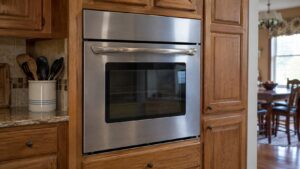
What Thermador E10 error means on your oven
Thermador oven error code E10 indicates: Home Connect communication error. This is classified as a Low-severity issue — the appliance may continue operating but should be serviced soon.
What E10 means on a Thermador Oven
Home Connect communication error. This error indicates a problem with the Wi-Fi module, firmware, network configuration.
Severity: Low
This is a Low-severity issue. This is not urgent but should be addressed at your next service appointment.
Repairability: DIY-friendly
This issue may be resolvable without a technician. Follow the troubleshooting steps below before calling for service.
Affected components
Wi-Fi module, firmware, network configuration.
When to call a technician
If basic troubleshooting (power reset, visual inspection) doesn’t resolve the error, contact a certified Thermador repair technician. Our technicians carry genuine OEM parts and Thermador-specific diagnostic tools.
Error E10 quick reference
- Error code: E10
- Appliance type: Thermador Oven
- Severity: Low
- Repair type: DIY-friendly
- Affected components: Wi-Fi module, firmware, network configuration
Troubleshooting Thermador E10 step by step
- Power reset: Turn off the appliance at the circuit breaker for 5 minutes, then restore power. If E10 clears and doesn’t return, a transient electrical issue caused it.
- Visual inspection: Check for obvious issues — loose connections, visible damage, water leaks, or unusual sounds from the affected components (Wi-Fi module, firmware, network configuration).
- Document the error: Note when E10 first appeared, whether it’s constant or intermittent, and any other symptoms (sounds, smells, performance changes).
- Check related systems: Error codes can sometimes be triggered by adjacent systems — verify that water supply, electrical connections, and ventilation are functioning normally.
Professional diagnosis and repair
If E10 persists after a power reset, professional diagnosis is required. Our certified Thermador technicians use factory diagnostic tools to read stored error history, test individual components (Wi-Fi module, firmware, network configuration), and identify the exact failure point.
Repair typically involves:
- Retrieving and analyzing stored error codes from the control board
- Component-level testing of the Wi-Fi module, firmware, network configuration
- Replacing failed components with genuine Thermador OEM parts
- Verifying the repair by running a test cycle and confirming the error clears
Preventing Thermador E10 from recurring
While some component failures are age-related and unavoidable, regular maintenance reduces the likelihood of error E10 recurring:
- Follow the maintenance schedule in your Thermador owner’s manual
- Keep the appliance clean — debris and buildup accelerate component wear
- Address minor issues early — small problems left unrepaired often trigger error codes
- Use a surge protector — power fluctuations can damage electronic control boards
For complete specifications and troubleshooting documentation, visit the Thermador official site. To schedule certified Thermador oven repair, Schedule service online — we service all Thermador models in all 50 states with genuine OEM parts and a 30-day labor warranty.